

Using old browser versions to test web apps
Sometimes we need to test our web apps in old browser versions, like when our application has some restriction about how old a browser version is supported. So, I want to share how we can do this using chrome and mozilla browsers.
I'm using the linux version of the browsers, but the steps are similar in other OSs.

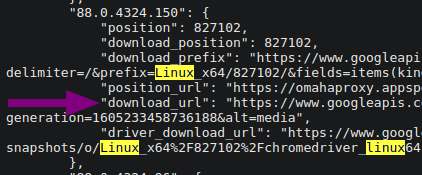
After some research, I found a gist with the links to download the old versions of chrome. So, we can download the desired version.
I advise you to search for the version and also the OS ("win" for windows and "linux" for linux) that you want to download. The JSON is huge and has a lot of versions. We need only to use the download url of the version that we want.
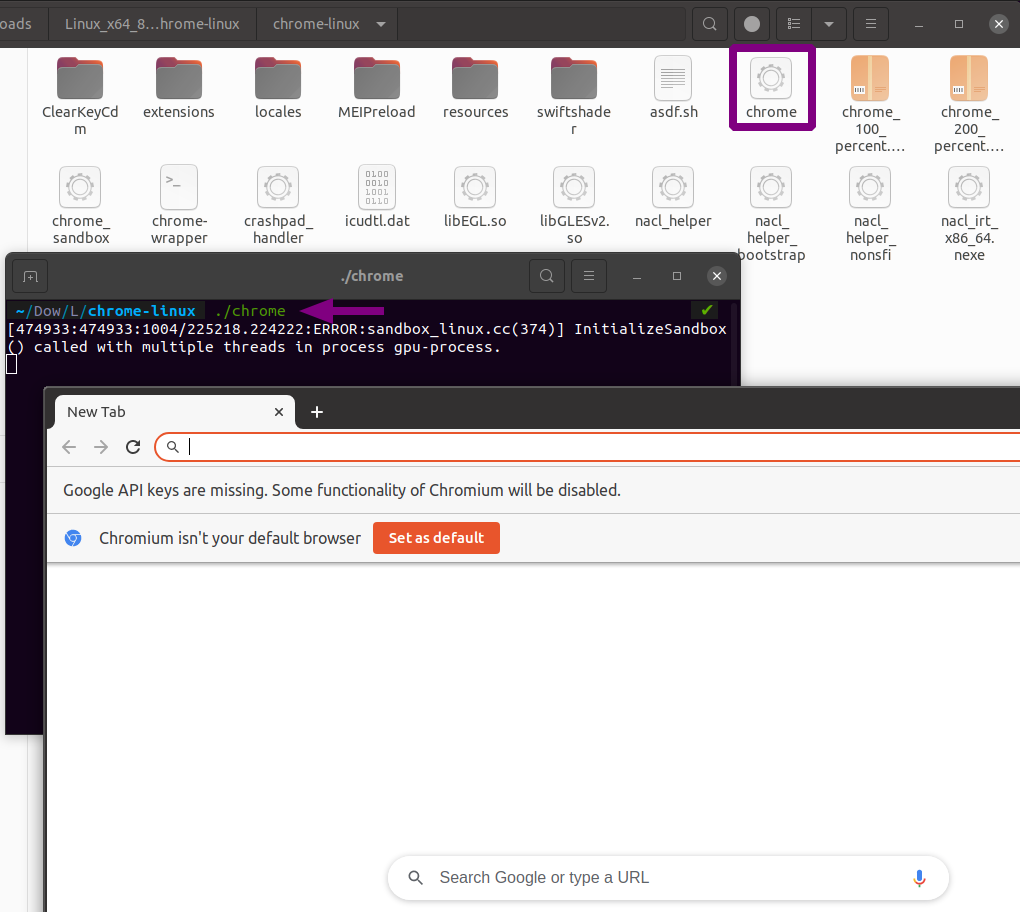
After it, we don't need to install the browser, we just need to extract the files and run the chrome binary file. It helps, mainly when we need to test in multiple versions.
We just need to run the command below in the extracted folder:
./chrome
And then, the browser will open, and we can test our web app.

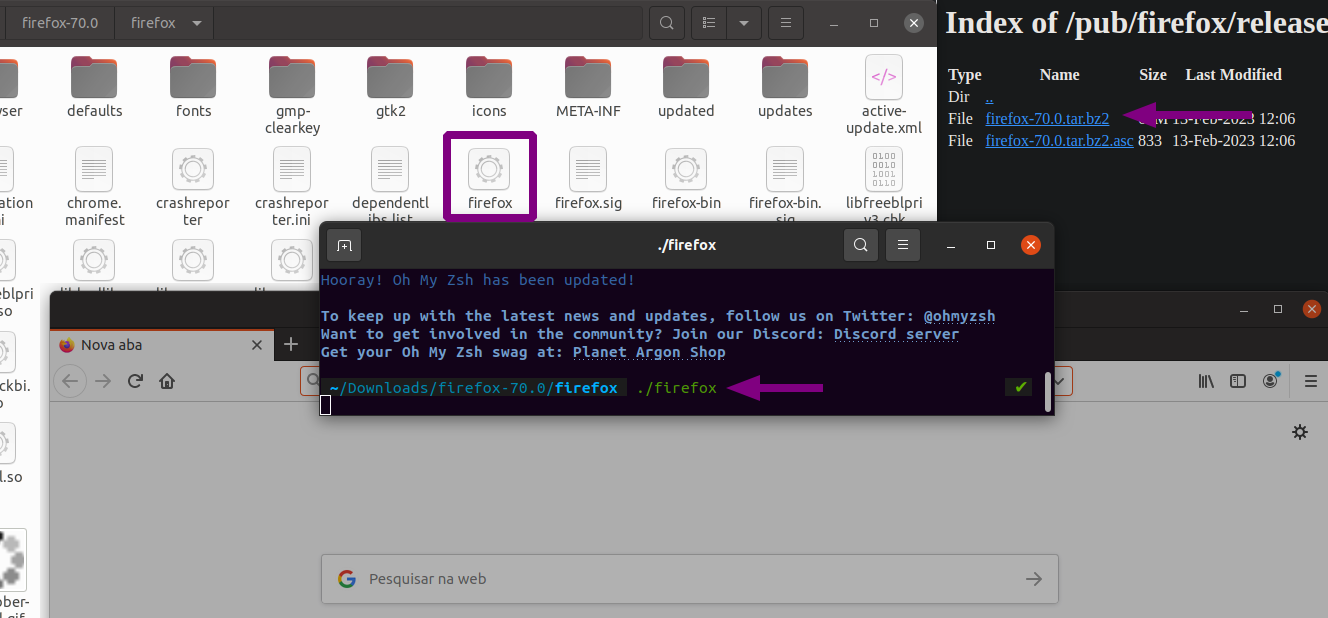
To download the old versions of firefox, we can access the versions directory from mozilla. There, we can find the links to download the old versions of firefox and follow the same way that we did with chrome.
Just choose the version and OS that you want to download and extract the files. Then, run the firefox binary file.
./firefox
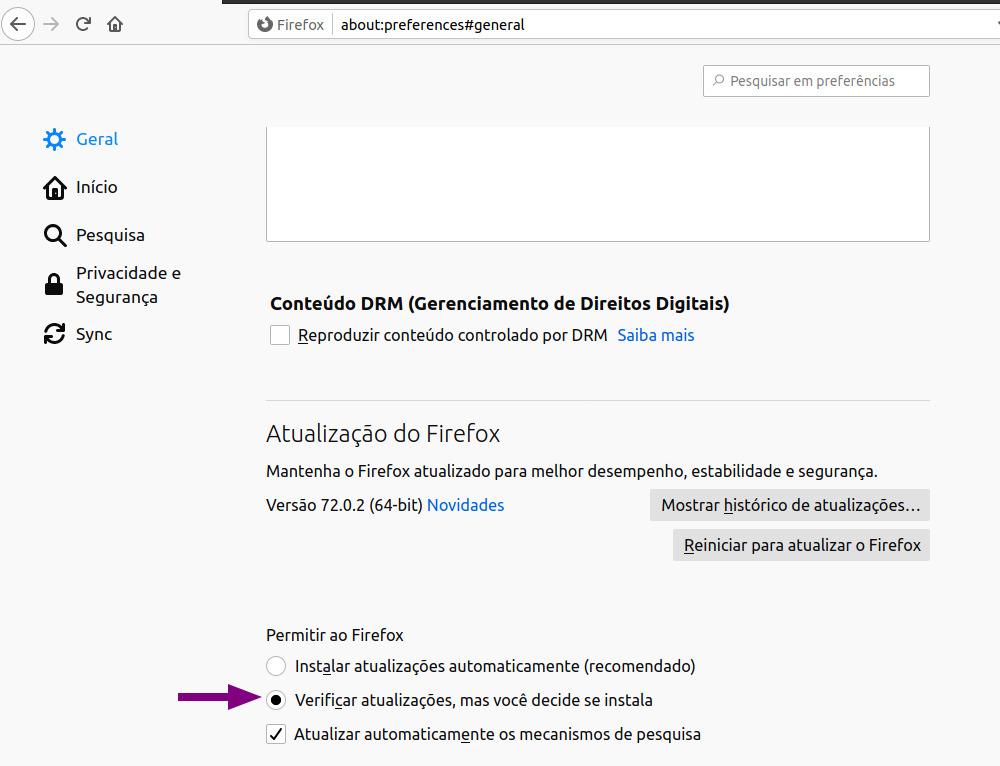
In the Firefox case, we need to deactivate the automatic updates to avoid the browser update to the latest version. All we need to do is to open the browser and go to the settings page. Then, go to the "General" tab and scroll down to the "Firefox Updates" section. There, we need to select the "Check for updates, but you decide if install it" option.
And that's it. Now we can test our web apps in old browser versions.
References:
- Barbie Tunnie - How to download old versions of chrome?
- Mozilla - Install an older version of Firefox