

How to resolve Nuxt 3 flickering?
How to resolve Nuxt 3 flickering?
I was working on this blog when I noticed that the page had the css removed sometimes by the server side rendering.
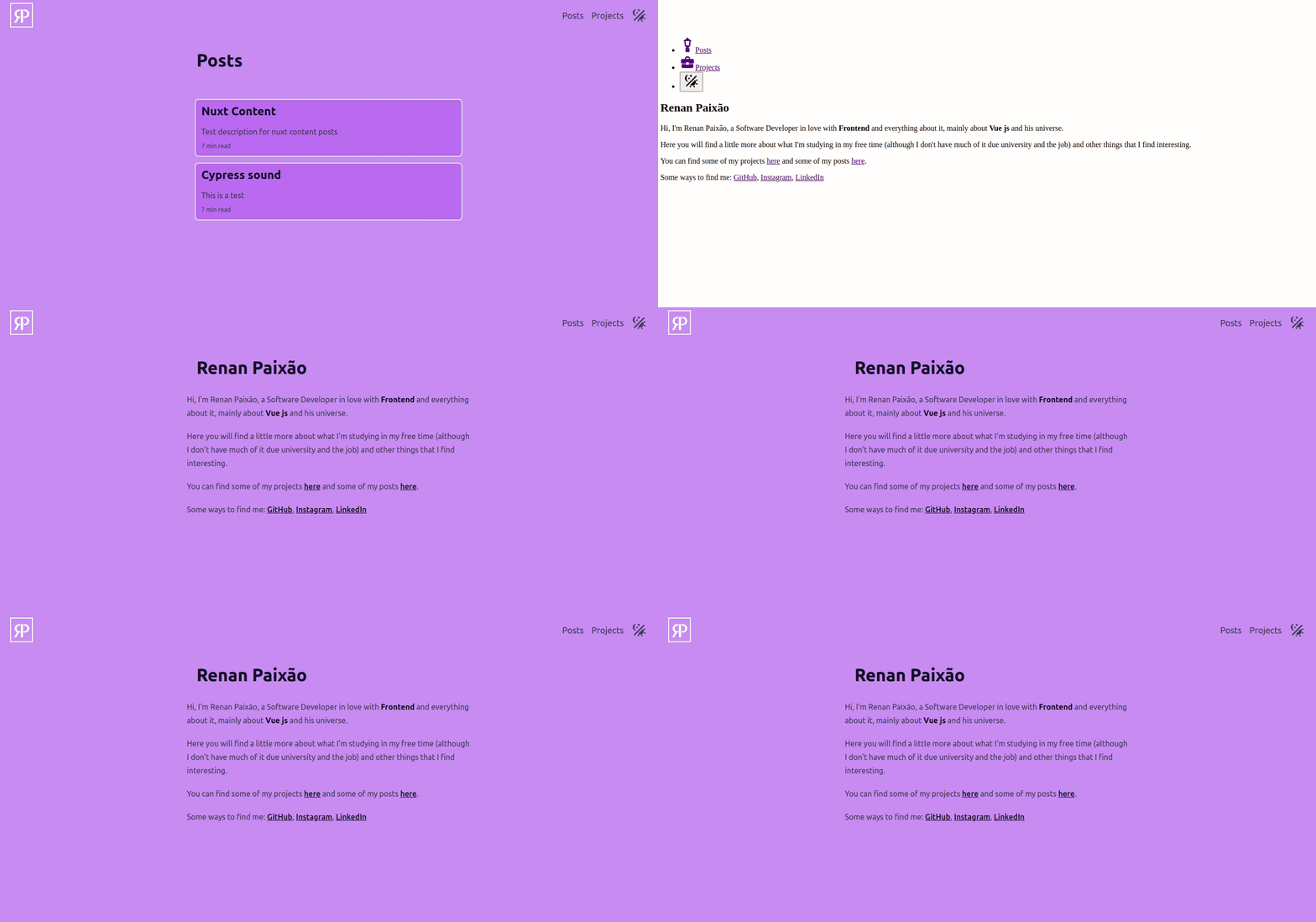
So, I found some solutions for this problem, the v-cloak directive and the useAsyncData composable.
What is v-cloak?
It's a built-in directive used to hide templates un-compiled until it's ready.
So you can use it combined with css like this:
<div v-cloak>
    ...
</div>
[v-cloak] {
  display: none;
}
And then, the div will appear only when it's compiled.
It still not is a definitive solution, because when I get out of the blog to any other site and go back, the flicker still happens on the first load.
So with more some research, I found a solution that works for me.
I was using the useHead hook to add a favicon, and it was causing the flickering when running the page for the first time. I supposed that the page is rendered without the css, and then the css is added.
So I just put the useHead inside the useAsyncData to the favicon be added and showed when the css is already added to the page. I do this because the useAsyncData is resolved in page transition, so putting the use head inside it will make the favicon to be added in time to the page be rendered with the css.
Note that the useAsyncData requires a promise as a parameter. I used the useHead inside an async function, but the useHead return void, so the 'await' has no effect.
useAsyncData(async() => {
    await useHead({
        link: [
            {
                rel: 'icon',
                type: 'image/ico',
                href: '/favicon.ico'
            }
        ]
    })
})
Now, the problem not will happen anymore.
References:
- Vue documentation - v-cloak
- Nuxt docs - useAsyncData composable
- Nuxt docs - Data fetching